

Organize your pickup game. Fair teams in one tap.
Rostara runs your weekly game: see who's coming, rate your players in private and keep everyone posted.


Free for groups, RSVPs, ratings and fair teams · No ads
Got an invite? Open the link your organizer sent you. Already in a group? Sign in
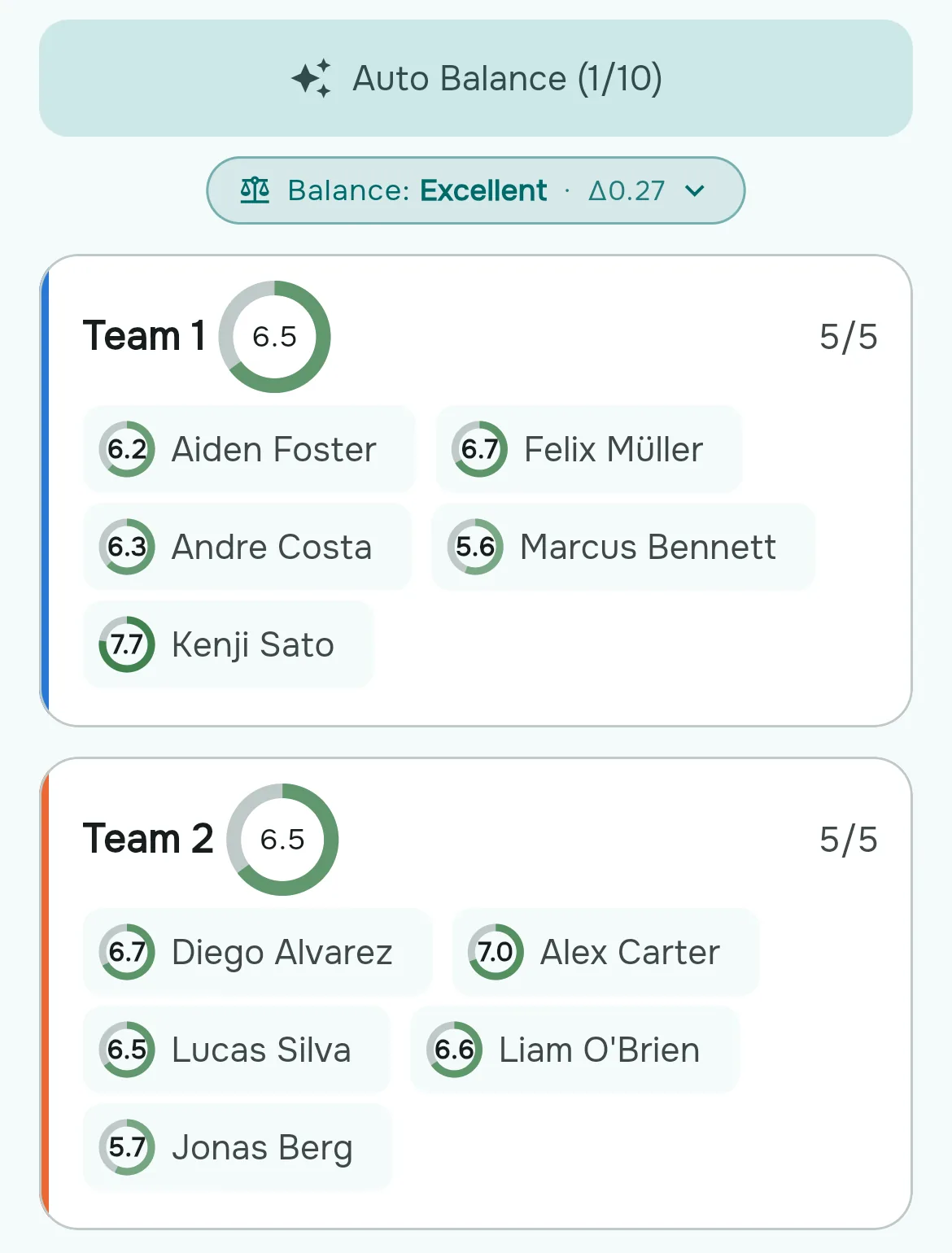
One tap on Auto Balance: two even teams
How it works
From a group chat to fair teams in three steps.
-
Create your group and paste your list
Names are enough. Players without an account can still be rated, put on teams and counted as coming.
-
Post the game and share the link
Players sign up with Google or email and tap Going. It works in the browser, with nothing to install.
-
Tap Auto Balance
Two even teams in one tap. Rate players when you like: anyone you haven't rated yet counts as the group average.
No more lopsided teams
You and your co-organizers rate each player on the skills that matter, privately, so nobody sees who gave what. At game time, Rostara splits everyone into even sides in one tap and tells you how close the match really is.
- One tap to auto-balance, or drag players between sides yourself
- A balance score so you know the game will actually be competitive
- With Rostara Pro, every member can rate, and the group average decides
Know who's actually coming
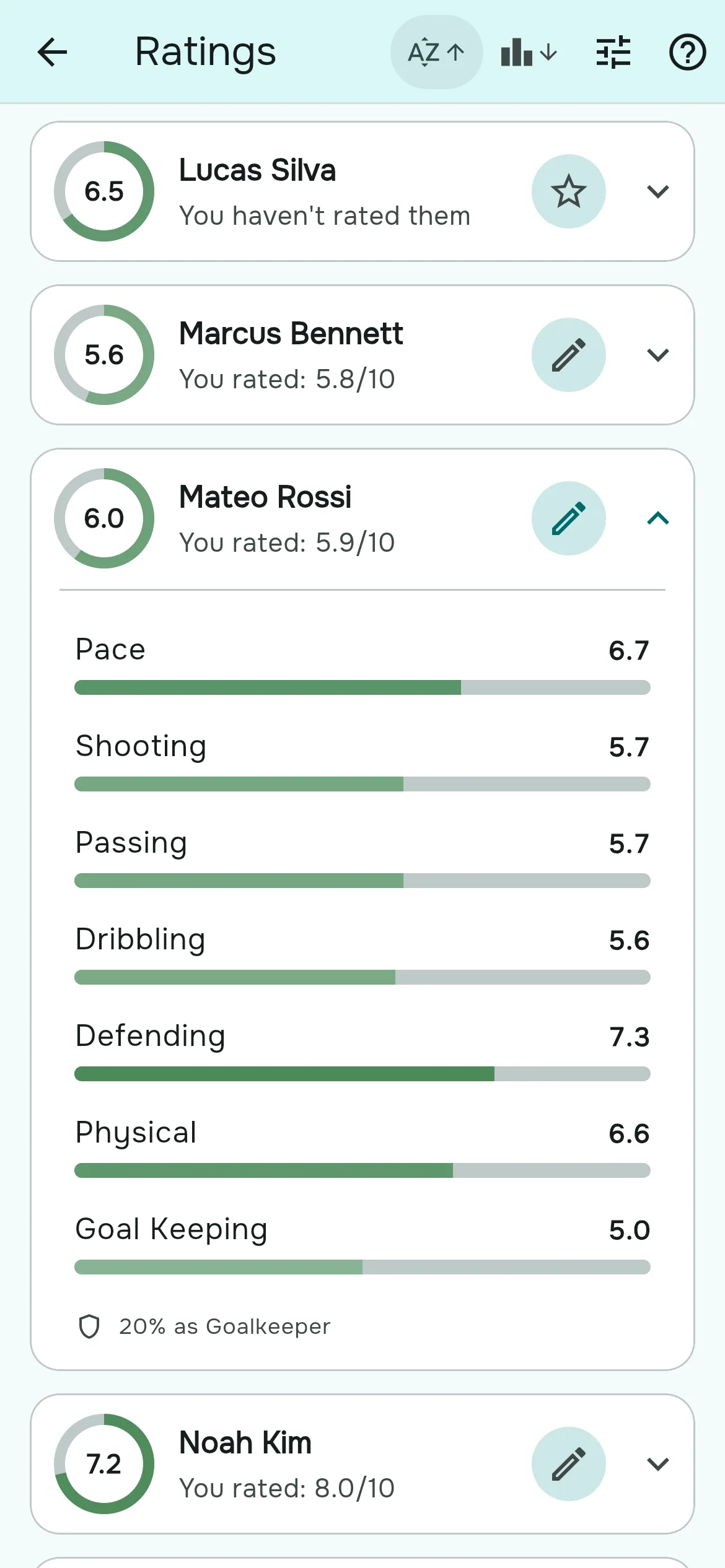
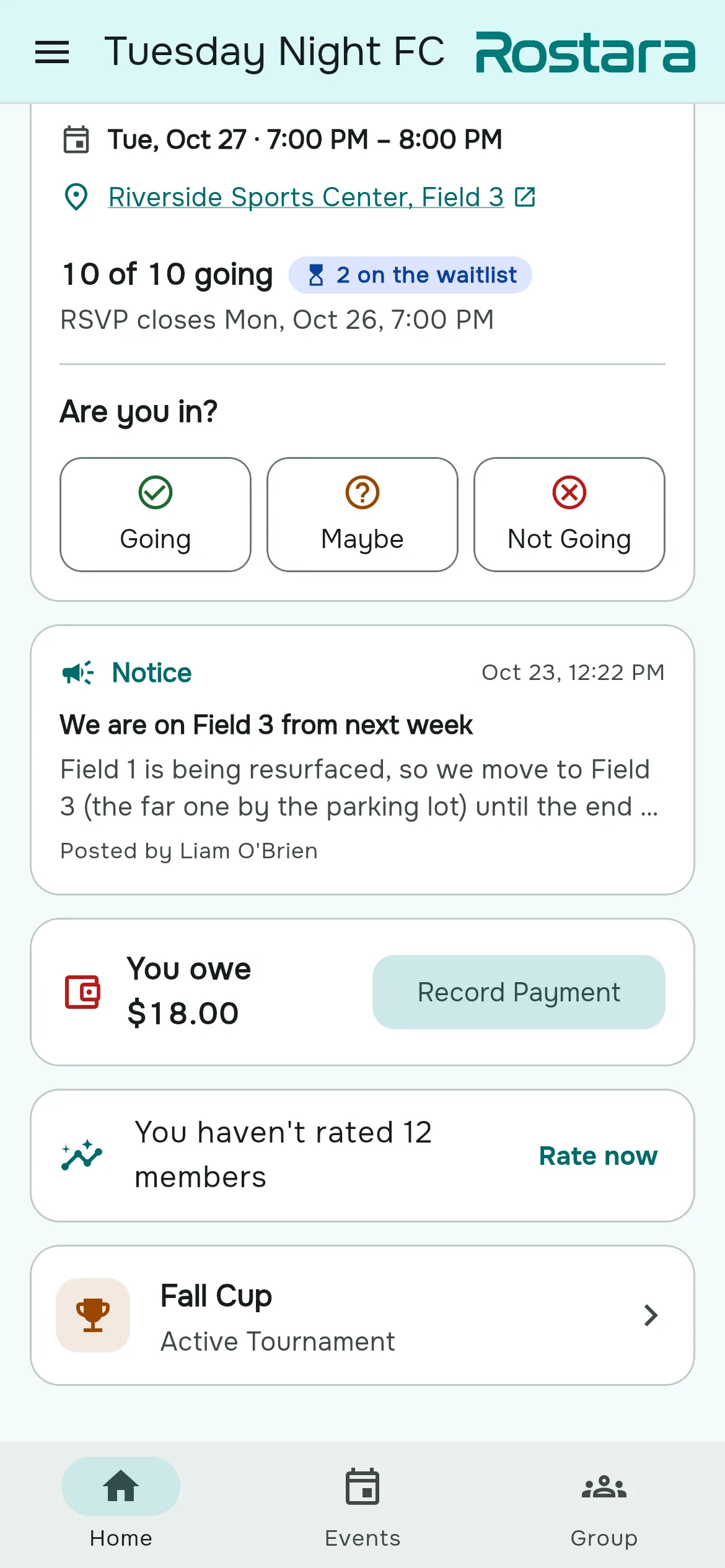
Post a game, pick when RSVPs open, and watch the list fill up. Waitlists, guest spots, and calendar links are built in, so you're done counting heads in the group chat.
- Going, maybe, and not going — with a live count
- Waitlists take over automatically when the game fills up
- Add any game to Google, Outlook or Apple Calendar
Sort out the money, no awkwardness
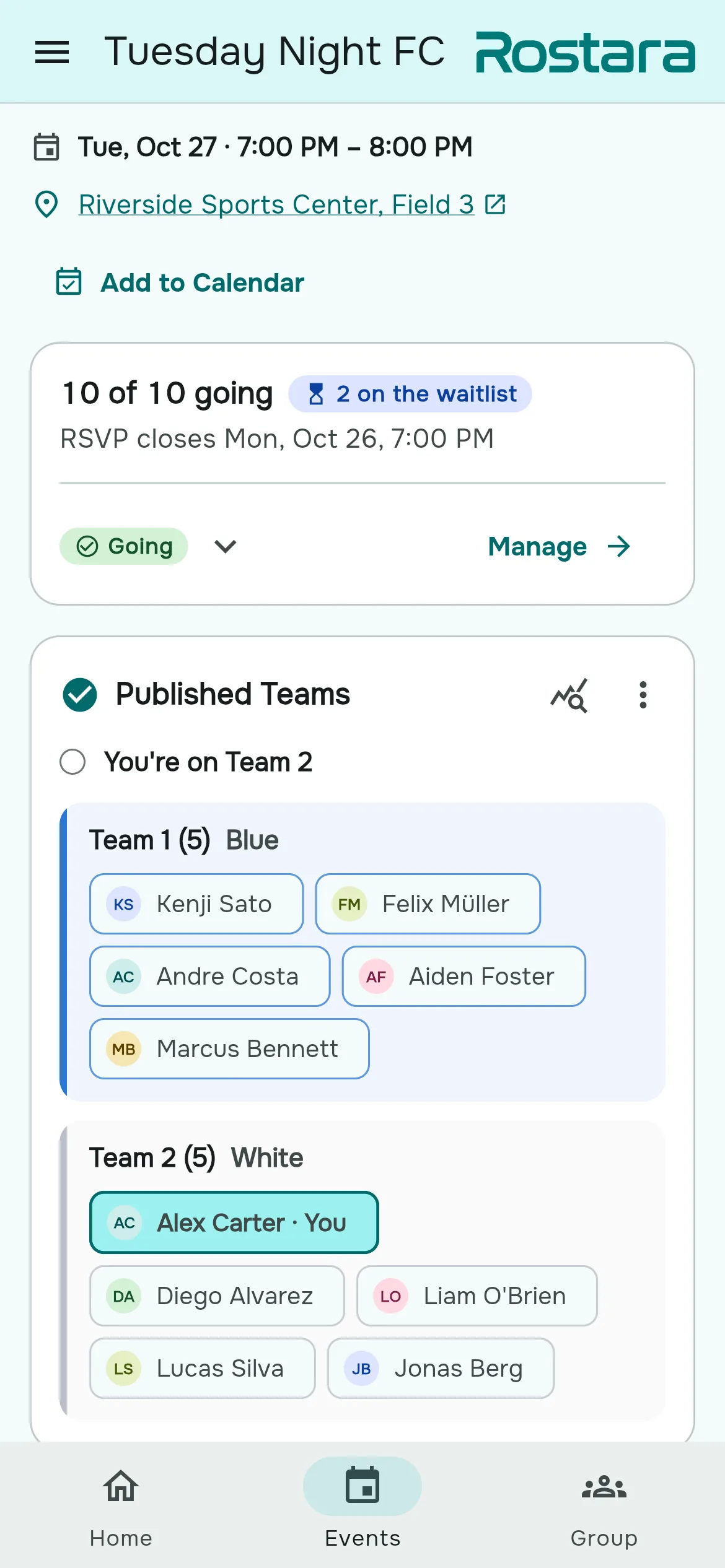
Keep the group pot and everyone's balance in one place. Members log what they paid, an admin signs it off, and you close out the season with numbers everyone trusts.
- Every pitch fee, ref payment and member due in one ledger
- Payments wait on admin approval before they count
- Close a period and carry the pot forward to the next season
The shared ledger is part of Rostara Pro
Guide: splitting costs and tracking who paid →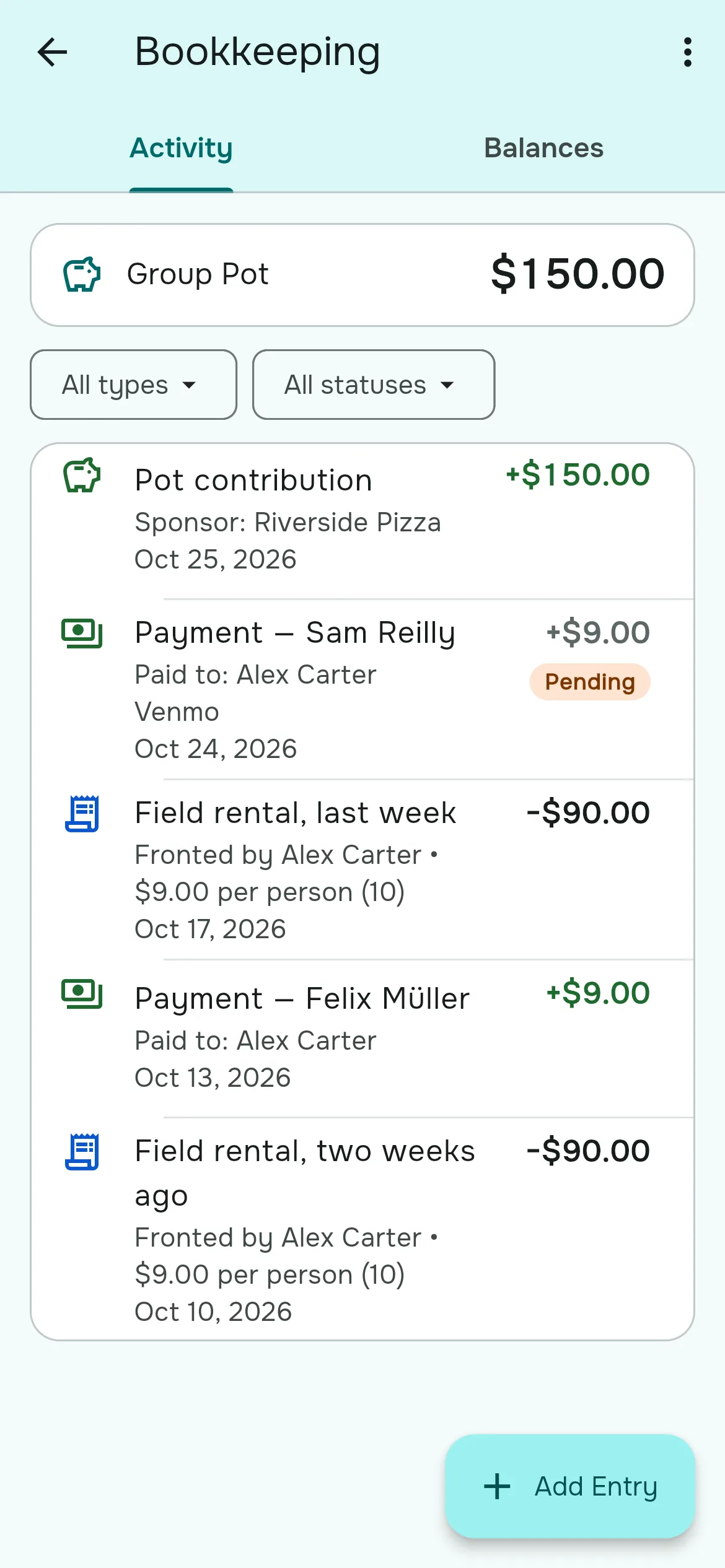
Run a proper competition
Set up a round-robin league, home and away if you like, or groups followed by knockout rounds. Rostara draws the league fixtures, and the table updates itself as you enter each result.
- League fixtures drawn for you, round by round
- Standings with points, goal difference and tiebreaks
- Everyone sees the current match and what's next
Group tournaments are part of Rostara Pro
Guide: running a tournament →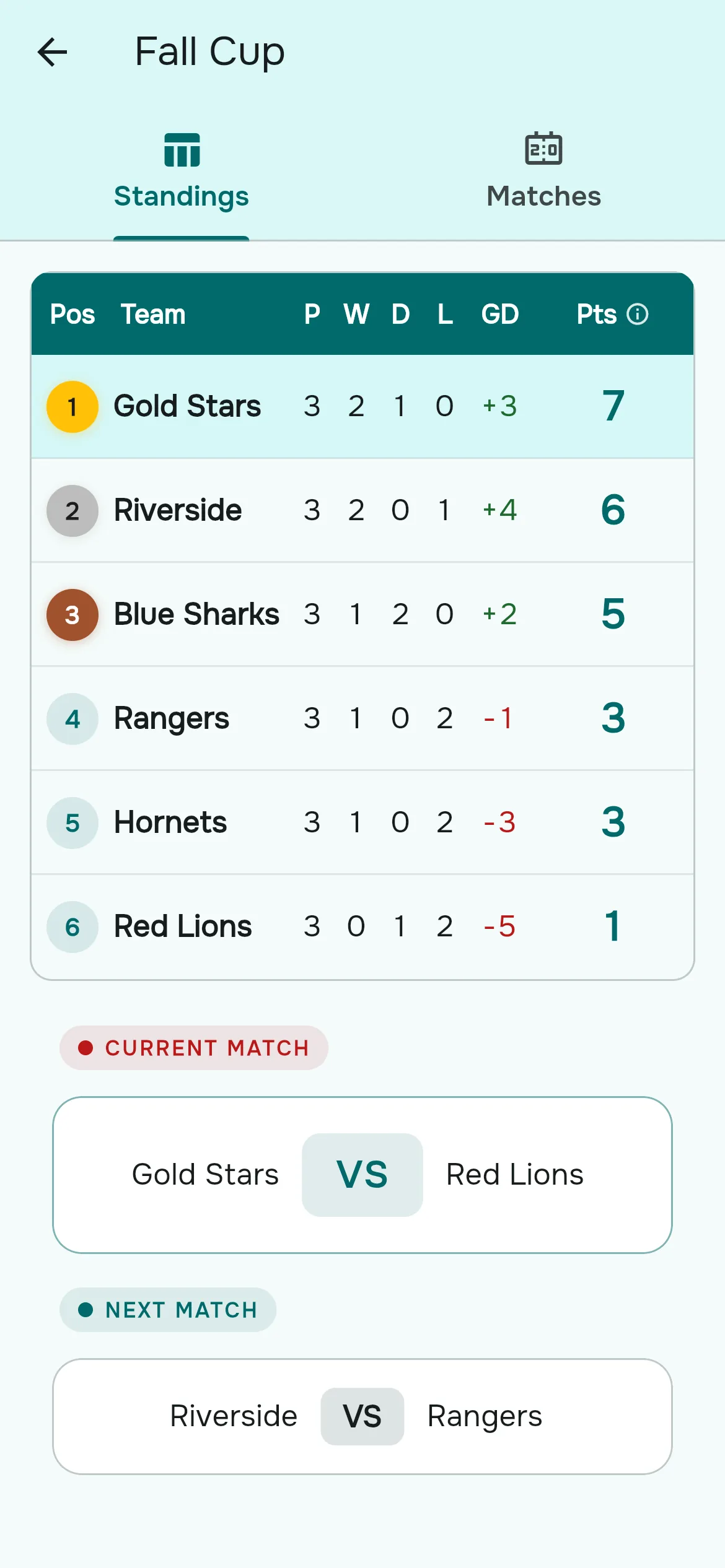
Plus everything else your group needs
One app instead of a group chat and a poll. With Rostara Pro, it replaces the spreadsheet of who paid and the bracket maker too.
Swipe to see more
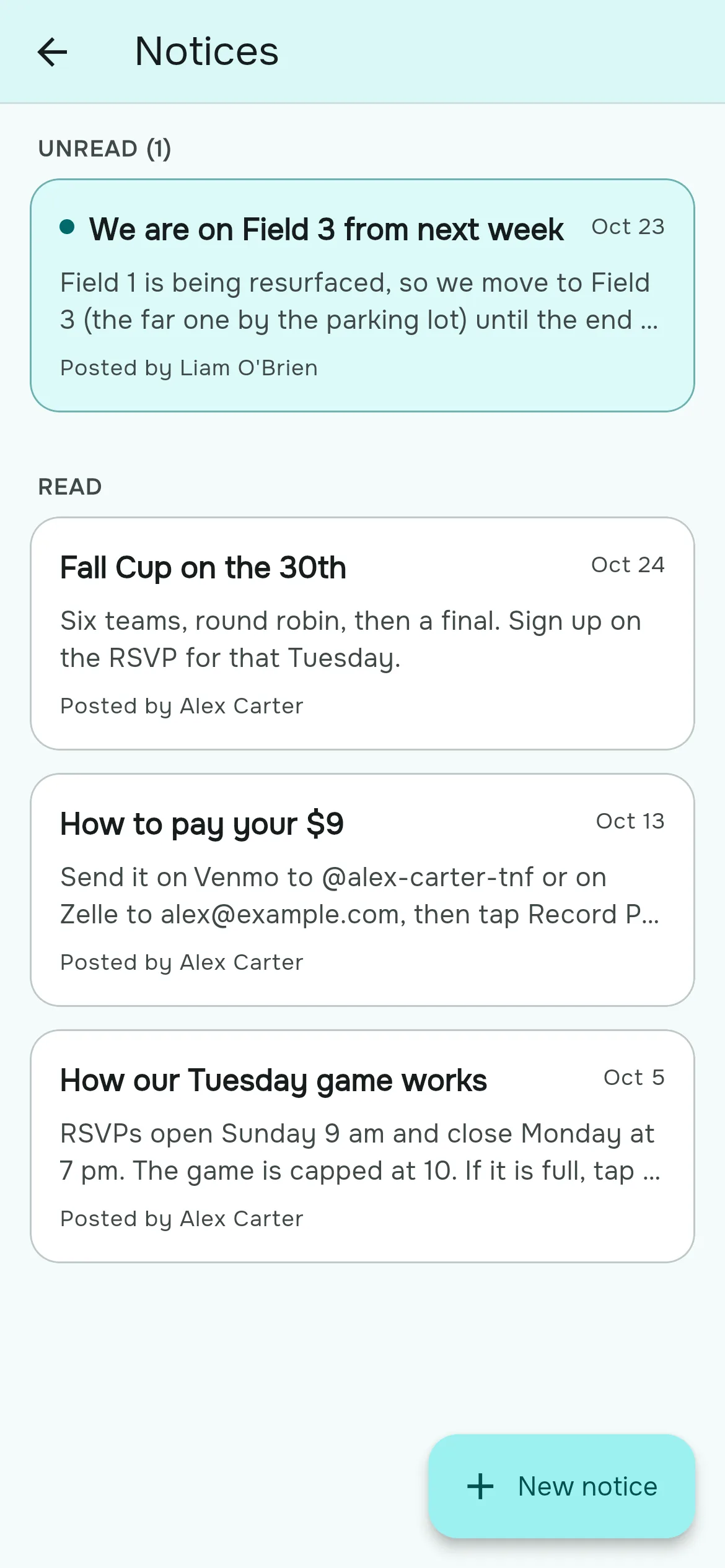
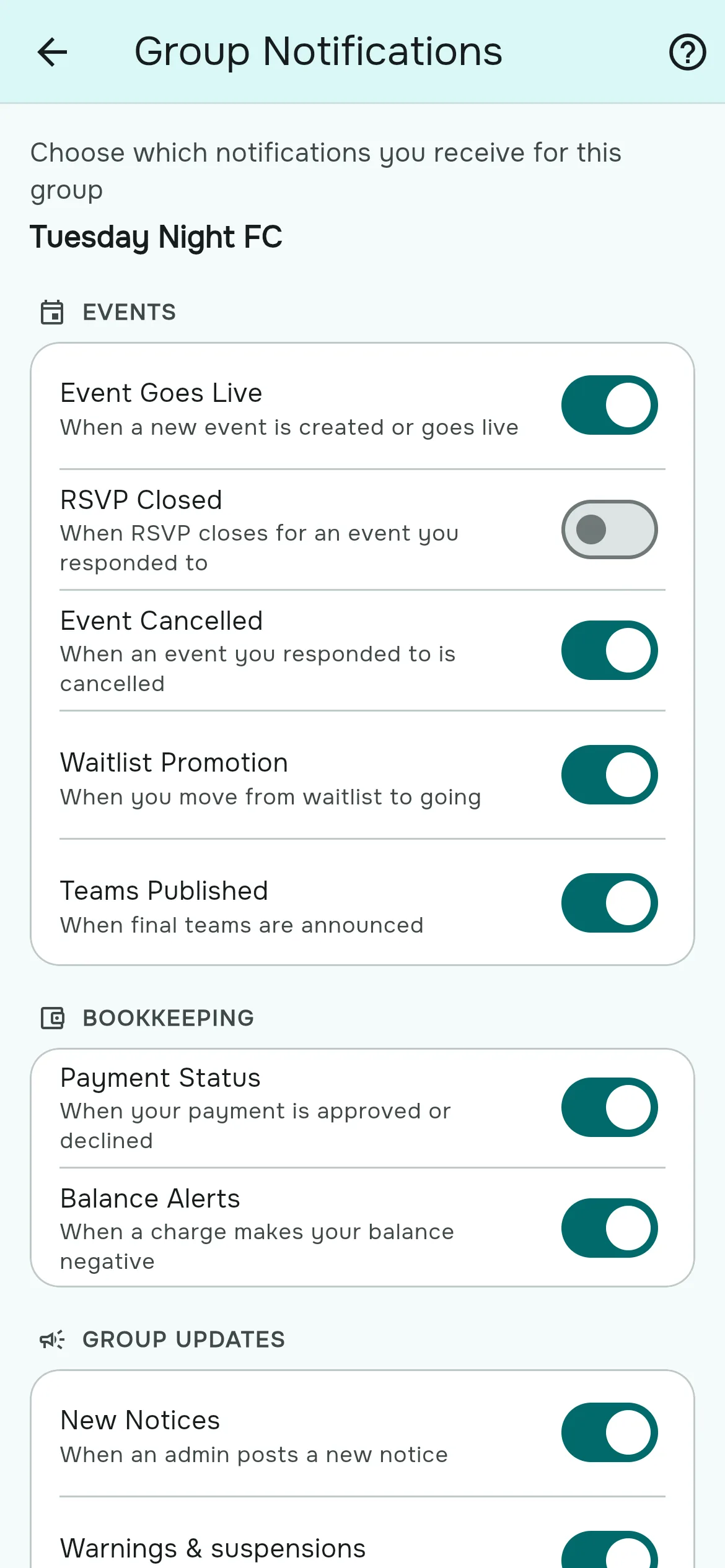
Step-by-step guides for every feature, with screenshots of the real app →
Free to start. Pro when your group wants more.
Everything a weekly game needs is free. Rostara Pro is an optional subscription for groups that want more.
Free
For every group, with no ads and no card:
- Groups, games, RSVPs and waitlists
- Private skill ratings by you and your co-organizers
- Fair teams in one tap
- Notices, alerts and calendar links
- Invite links that work in any browser
Rostara Pro
Everything in Free, plus:
- The shared ledger: fees, dues and the group pot
- Group tournaments with fixtures and standings
- A no-show policy with warnings and suspensions
- Group history for organizers
- Your own skill list and weights
- Let every member rate players, suggest teams and vote on them
$12.99 a month or $99.99 a year for one group, less per group for several. Players never pay.
Rostara never handles your money: the ledger is a record of what your group agreed, not a payment processor.
Questions people ask first
Do my players need an account?
No. You can add players as names only and still rate them, put them on teams and count them as coming. Players who want to answer for themselves join from your invite link with Google or email, in a couple of taps.
Do I have to rate everyone first?
No. Anyone you haven't rated yet counts as the group average, so Auto Balance works from the first game. Rate players as you get to know them, a few at a time.
Can everyone see how I rated them?
No. Individual ratings are private. Everyone sees the group average for a player, but never who gave which score, organizers included. When only one person has rated a player, that average is their score.
Which sports does it work for?
Any sport where you split into sides. Soccer, futsal, basketball, volleyball, handball, ice hockey, padel and tennis come with ready-made skill presets, any other sport starts from a general set, and with Rostara Pro you can write your own list of skills. The free team generator has a page for soccer, futsal, 5-a-side, basketball and volleyball.
Do I have to install anything?
No — Rostara runs in your browser on any device. You can also add it to your phone's home screen so it opens like a normal app. If you'd rather install it, Rostara is on the App Store for iPhone and on Google Play for Android.
What languages does Rostara support?
Twelve: Arabic, German, English, Spanish, Persian, French, Indonesian, Italian, Japanese, Korean, Portuguese (for Portugal and for Brazil) and Turkish. Rostara follows your phone's language by default, and you can pick a different one at any time without touching your device settings.
Get the group together
Make a group, share the invite link, and you'll be running your next game in minutes.
Start your group