In this guide
Most pickup games start the same way: someone books a pitch, posts in a group chat, and spends every week chasing replies, counting heads and sorting out money. Rostara takes over the counting, the teams and the money, so the organizer only has to show up with a ball. Here is how to run the game well, whatever tool you use, and how to set it up in Rostara.
Seven steps to a game that runs itself
- Pick a fixed slot. Same day, same time, every week. People build habits around a fixed evening; a moving one gets half the turnout.
- Book the venue first. Pitch, court or gym, booked for a block of weeks if you can. A confirmed slot is what makes people commit.
- Build a pool bigger than the game. For a ten-player game, aim for 12 to 15 regulars, because two or three are always away. Pickup basketball groups often keep 20 or more.
- Open RSVPs at the same time every week, three to five days ahead, and close them 12 to 24 hours before kick-off. See scheduling games and RSVPs.
- Have a dropout plan. Cap the game, keep a waitlist, and agree a minimum below which you cancel early. See waitlists and guests.
- Make fair teams. Even teams are what keep people coming back. See the team balancer.
- Keep the money simple. One charge per game, split among the players, recorded where everyone can see it. See splitting pitch fees.
Messages you can copy
The invite
"Starting a weekly game: Thursdays 7 to 8 pm at Riverside, 5-a-side, about €6 each. We're using Rostara to sort out who's coming and make fair teams. Join here: [invite link]. Takes a minute, and you can use it in your browser."
Ground rules
"How it works: RSVPs open Monday 9 am and close Wednesday 7 pm. The game is capped at 10; if it's full, tap Going and you'll join the waitlist. If fewer than 8 are in by the deadline, we cancel. Teams are made by the app from everyone's ratings. Pay your share by Sunday. Late dropouts and no-shows get a warning."
Post the ground rules as a notice so they stay at the top for everyone, and back them up with warnings for no-shows if you need to.
Step 1 in Rostara: create your account
- Go to rostara.app and tap Get started. It works in any browser, on a phone or a laptop.
- Sign up with your email, or continue with Google.
- If you used email, open the verification link we send you, then tap I've Verified — Continue.
On a phone, add Rostara to your home screen from the browser's menu and it opens like a normal app.
Step 2: create your group
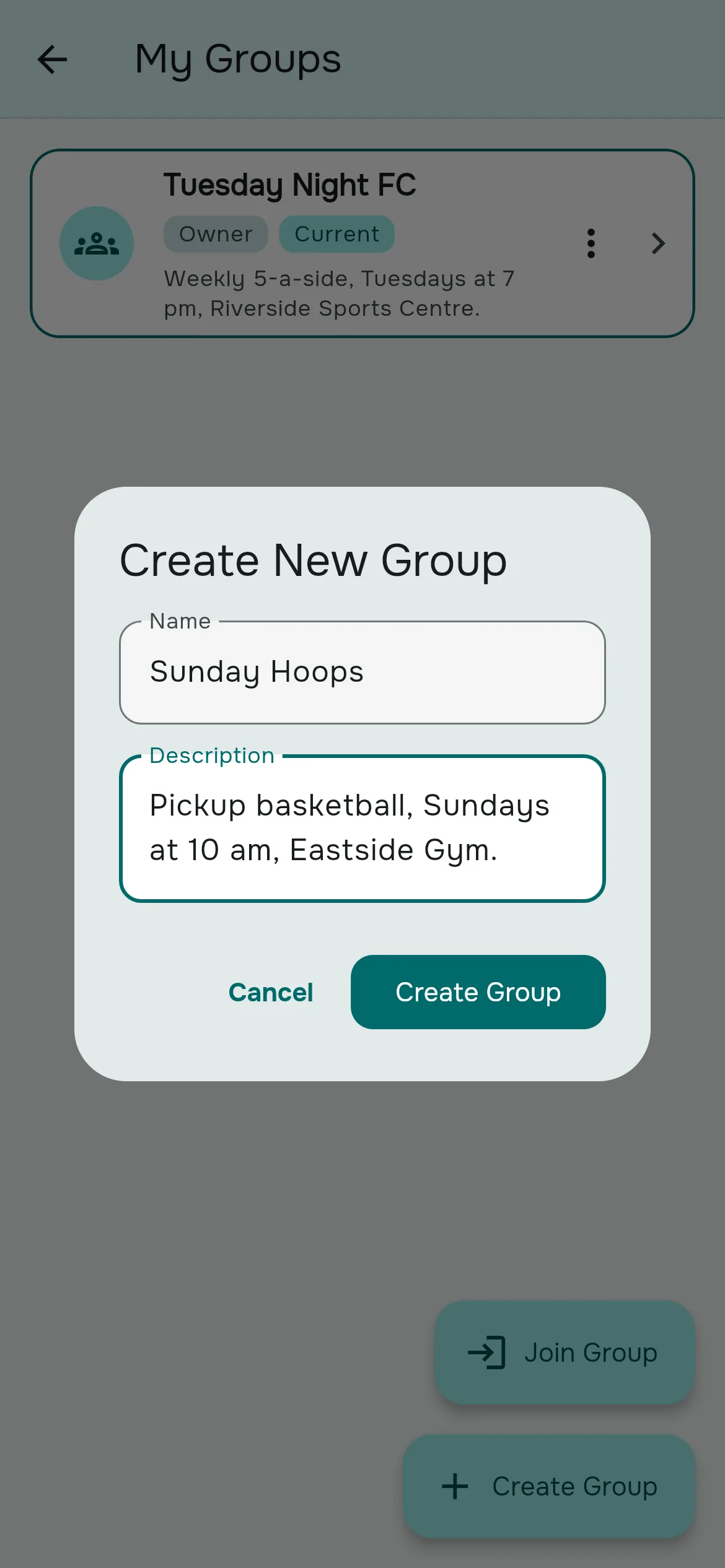
- Open the menu (☰) → My Groups → Create Group.
- Enter the group's name, for example "Thursday 5-a-side", and an optional description.
- Tap Create Group.
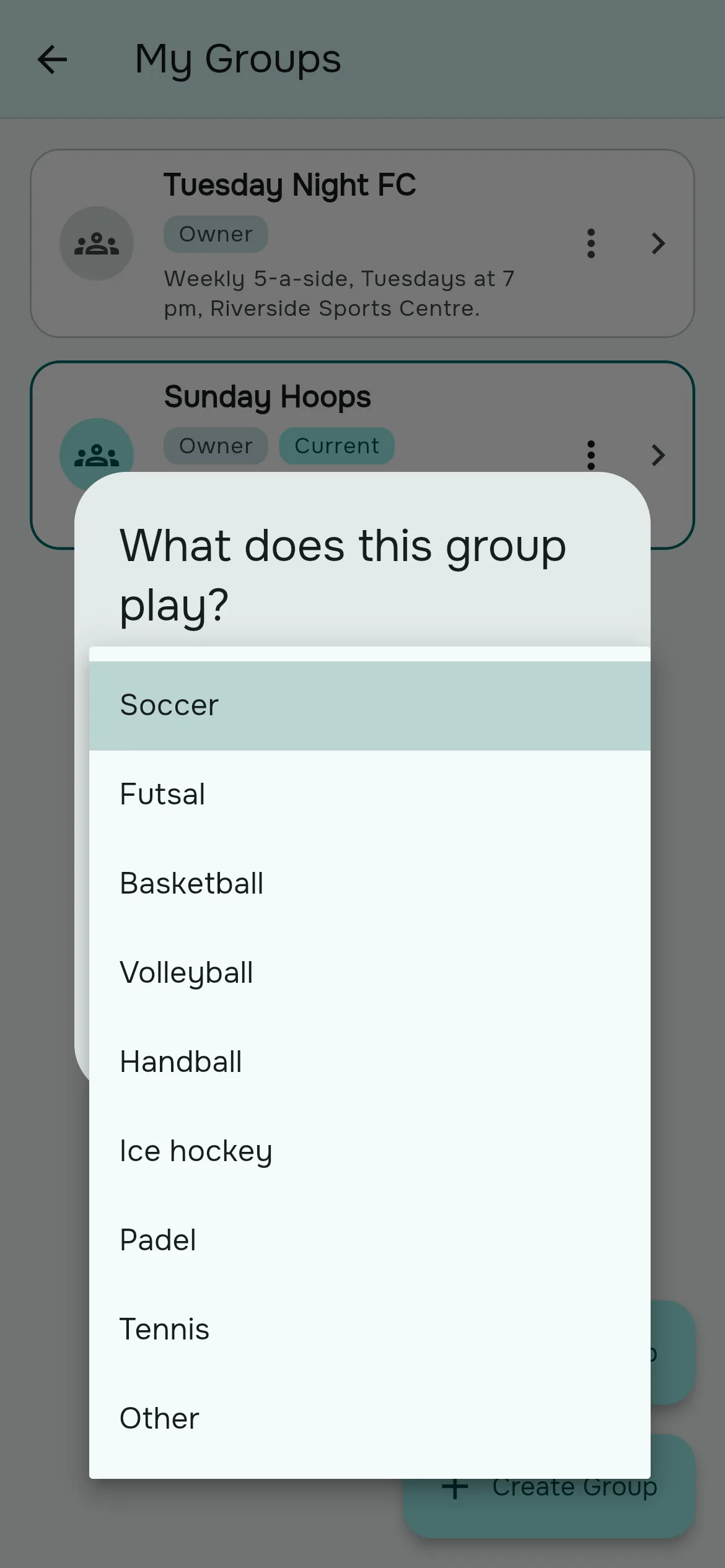
- Rostara asks "What does this group play?". Pick your sport from Soccer, Futsal, Basketball, Volleyball, Handball, Ice hockey, Padel, Tennis or Other, then tap Save.
You are now the group's owner. The sport sets up the skills players are rated on and the scoring your tournaments start from. See skills and sports.
Step 3: invite your players
- On the Group tab, tap Invite.
- Tap Share invite link (or Copy link) and paste it into your group chat with the invite message above.
- Players open the link, sign up and land straight in your group.
Not everyone will sign up on day one, and that's fine: you can add players by name and they can claim their spot later. See members and invites.
Step 4: post your first game
On the Events tab, tap New event, enter the name, start time and location, tick Limit attendance and add your player limit, set an RSVP deadline, and tap Create. Everyone in the group is notified and can answer from their Home tab. The full walkthrough is in scheduling games and RSVPs.
A quick tour of the app
| Where | What you'll find |
|---|---|
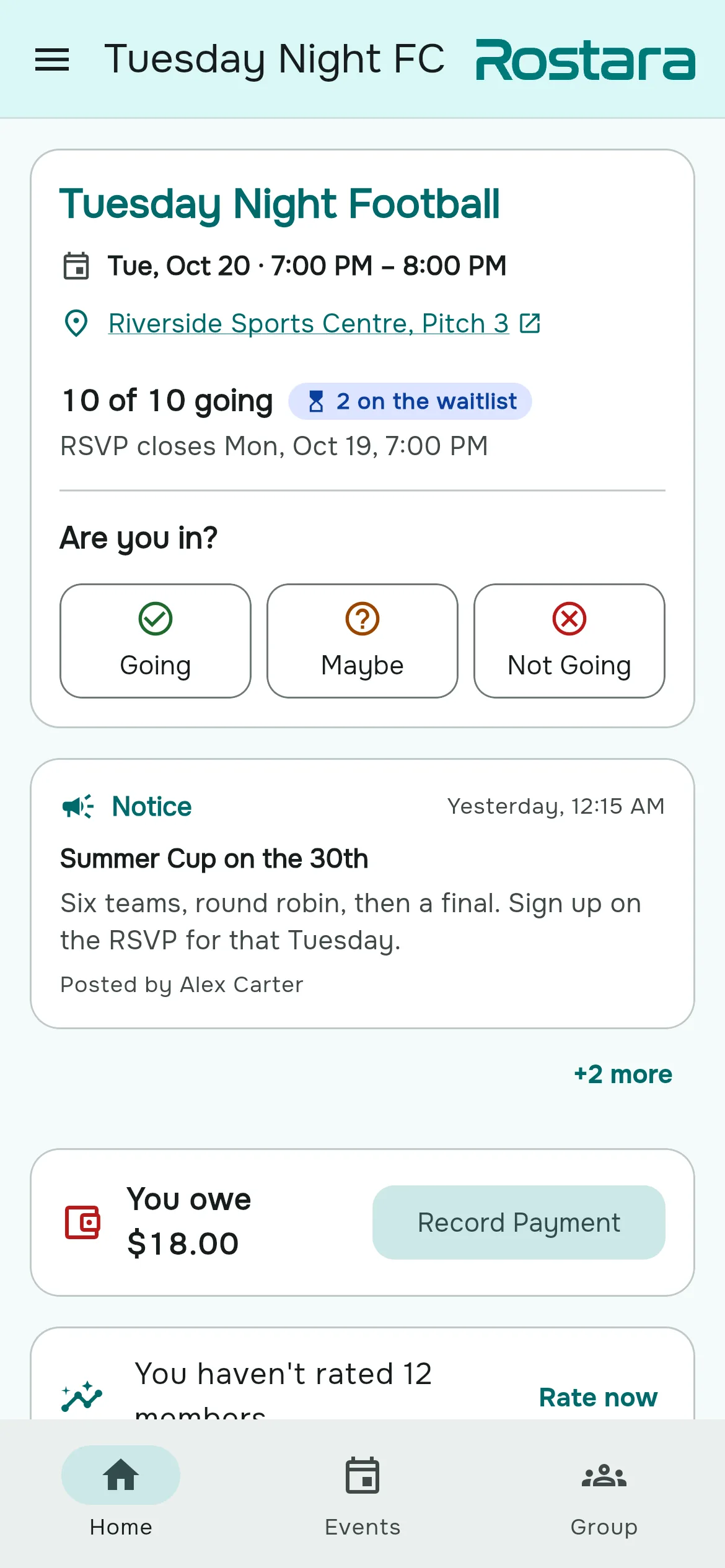
| Home | The next game with Going, Maybe and Not Going, the newest unread notice, what you owe, players you haven't rated, and an active tournament. When nothing needs you: "You're all caught up!" |
| Events | The selected game with its details, RSVPs and teams, plus All events. |
| Group | Tiles for Members, Ratings, Invite, Bookkeeping, Tournaments, Notices, History, Discipline, Group Settings and About. Some are for organizers only. |
| Menu (☰) | My Groups, Notifications, Leave Group, My Tournaments, Profile, Language, Privacy & data, and Log out. |
More than one group
One account can belong to any number of groups: your Tuesday futsal, the Sunday league and the office basketball game. Switch between them from ☰ → My Groups. Rostara remembers the last group you used.
Twelve languages
Rostara is available in English, Arabic, German, Spanish, Persian, French, Indonesian, Italian, Japanese, Korean, Portuguese and Turkish. It follows your phone's language by default; change it from ☰ → Language, or with the globe button on the sign-in screen. The choice is saved on each device.
What it costs
Running your group's games is free: groups, members, invites, games, RSVPs, waitlists, guests, ratings by organizers, the team balancer, notices, notifications and personal tournaments. Rostara Pro is an optional subscription for organizers who want more: the shared ledger, group tournaments, warnings and suspensions, group history, letting every member rate and vote on teams, and custom skills. Players never pay, and Rostara never handles your group's money.
Questions organizers ask
How do I start a pickup soccer group from scratch?
Book a fixed weekly slot, gather 12 to 15 players for a ten-player game, create a group in Rostara, share the invite link in your chat and post the first game with a player limit and an RSVP deadline.
How many players should I invite for a ten-player game?
Aim for a pool of 12 to 15 regulars, because two or three are usually away. Cap the game at 10 and let the waitlist handle the rest.
Do my players need to download an app?
No. Rostara works in any browser on a phone or laptop, and players can add it to their home screen.
Can players without an account be in the group?
Yes. Organizers can add players by name, rate them, put them on teams and answer RSVPs for them. They can claim their spot later by joining with the invite link.
Which sign-in options are there?
Email or Google. Email accounts verify their address with a link before they start.
Which sports does Rostara support?
Soccer, futsal, basketball, volleyball, handball, ice hockey, padel and tennis have ready-made presets, and Other works for anything where you split into sides.
WhatsApp poll or an app: which works better?
A chat poll is fine for a one-off. For a weekly game, an app keeps a capped list, a waitlist that fills dropouts automatically, fair teams and a record of who paid, without anyone counting replies.
Is Rostara free?
Running your games is free. Rostara Pro adds the shared ledger, group tournaments, discipline, history and member-wide rating and voting for organizers who want them. Players never pay.